Author: paula

  • Popping balloon

    Popping balloon

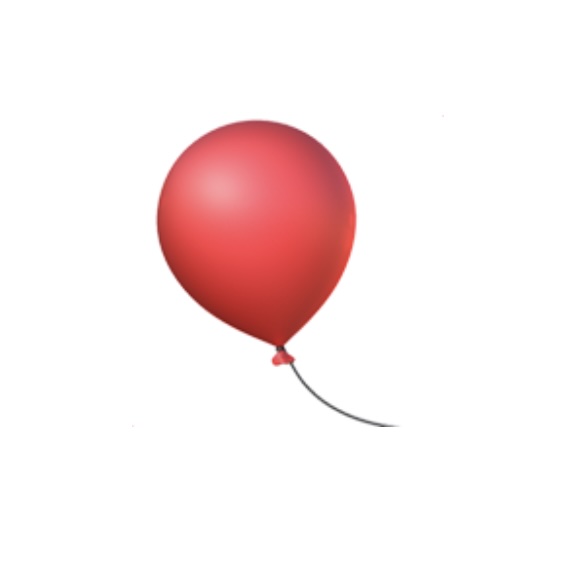
    There is a balloon emoji on the page. TRY IT OUT! When you press:

    • ArrowUp → the balloon gets bigger
    • ArrowDown → the balloon gets smaller

    If it gets too big (bigger than 230px), it bursts and turns into the 💥 explosion emoji. After that, the keyboard stops working on it.

    <div class="balloon">
      <p> &#127880;</p>
    </div>
    p {
      font-size: 156px;
      text-align: center;
    }
    let theBalloon = document.querySelector("p");
    
    window.addEventListener("keydown", codeToRun);
    
    function codeToRun() {
      let theSize;
      let sizeNum;
    
      if (event.key == "ArrowUp") {   
         sizeNum =      parseFloat(window.getComputedStyle(theBalloon).fontSize);
         theSize= sizeNum + (sizeNum / 10);
         theBalloon.style.fontSize = theSize + "px";
     }
    
      if (event.key == "ArrowDown") {    
         sizeNum =   parseFloat(window.getComputedStyle(theBalloon).fontSize);
         theSize= sizeNum - (sizeNum / 10);
        theBalloon.style.fontSize = theSize + "px";
      }
    
      if (tooBig(theSize)) {
        theBalloon.innerHTML = "&#128165;";
        window.removeEventListener("keydown", codeToRun);
      }
    }
    
    function tooBig (sizeNum) {
      return (sizeNum > 230);
    }

    Note – why parseFloat and getComputedStyle?

    Because the size on screen is something like "156px"
    You can’t do math with “156px”, so:

    • window.getComputedStyle(...).fontSize gives "156px"
    • parseFloat(...) converts it to 156
  • Javascript Closures

    Javascript Closures

    JS Example

    let createCounter = function(n) {
        let theCounter = n;
        return function() {
          theCounter++;
          return theCounter;
        };
    };
    
    
    const counter1 = createCounter(10)
    
    console.log(counter1()); 
    //prints 11
    console.log(counter1()); 
    //prints 12
    
    const counter2 = createCounter(20)
    
    console.log(counter2()); 
    //prints 21

    ES6 Version

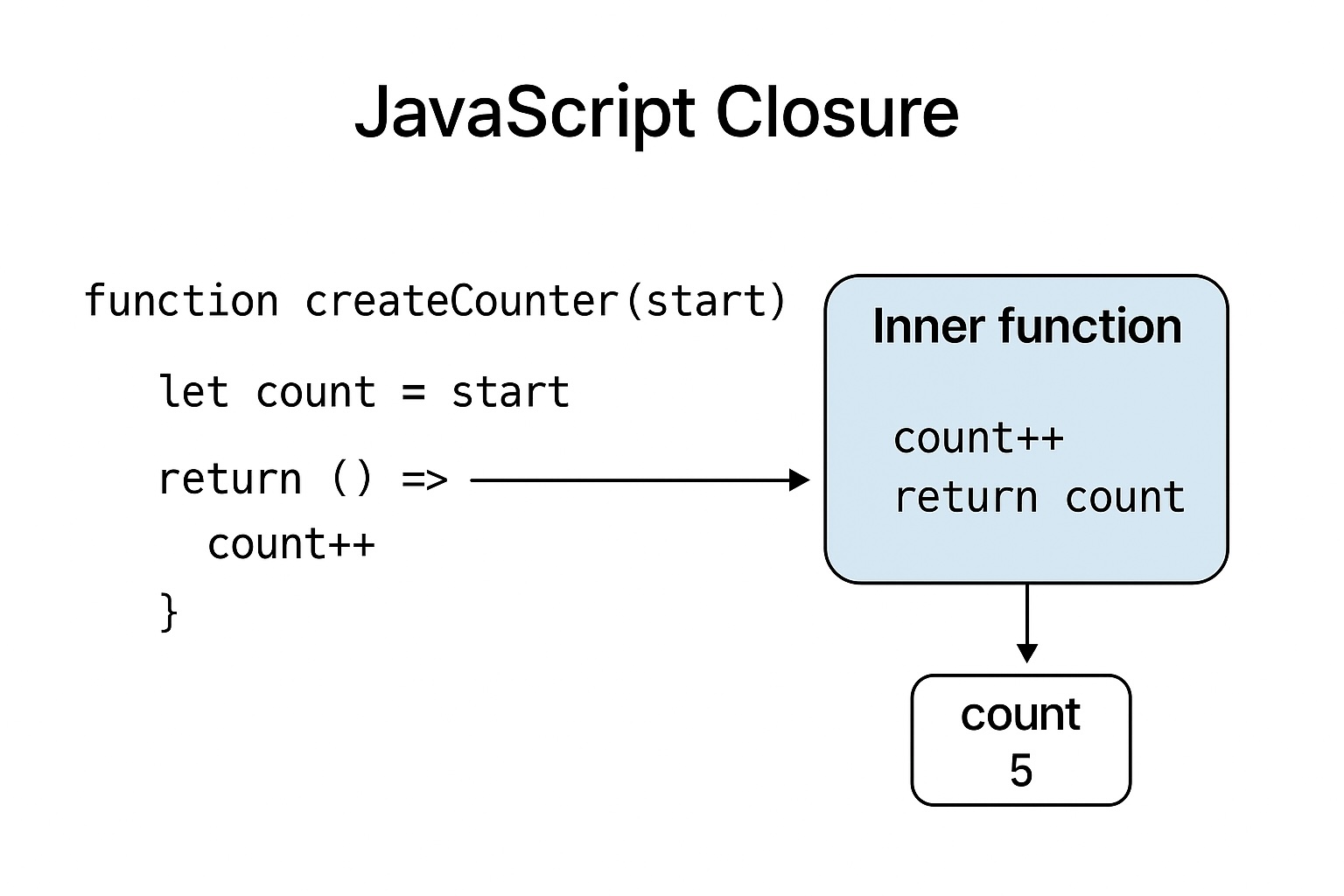
    function createCounter(start = 0) {
      let count = start;
    
      return () => {
        count++;
        return count;
      };
    }

    Each call to createCounter(...) produces a small function that remembers the value theCounter. Calling the returned function increases that remembered value and returns it. 

    counter1 and counter2 each keep their own remembered theCounter.

    It is sometimes helpful to think of a closure as a function plus a little backpack of variables it can see from where it was created (its lexical environment).

    • createCounter returns the inner function. That inner function still has a reference to the environment where theCounter equals 10. We store the returned function in counter1.

    The invocation of createCounter has finished, but the environment is not removed because the returned function still points to it. The function carries the environment with it.

    Why can this be so confusing?

    1. Invisible state — functions usually look like: input → output. Closures add hidden memory: the function now also depends on variables it “remembers”. That hidden state makes behavior less obvious at a glance.
    2. Life after returning — normally local variables disappear when a function returns. With closures the locals persist because a returned inner function keeps them alive. That violates many people’s first mental model of “locals get cleared”.
    3. Shared vs separate environments — sometimes people expect every function to get a brand new copy of variables; other times a variable is shared between many functions. That nuance causes bugs (especially in loops).
    4. Mutation and unexpected memory retention — closures can keep large objects in memory unexpectedly (memory leak risk) or can be mutated from multiple places.

    The pattern below makes the API clearer (since you can see the methods that operate on the hidden state).

    function createCounter(n) {
      let theCounter = n;
      return {
        increment() { theCounter++; return theCounter; },
        get() { return theCounter; }
      };
    }
    
    const c = createCounter(5);
    console.log(c.get());      // 5
    console.log(c.increment()); // 6

    FINALLY! (the loop / var problem)

    A famous confusing example:

    for (var i = 0; i < 3; i++) {
      setTimeout(function() {
        console.log(i);
      }, 10);
    }
    // likely prints: 3 3 3
    for (let i = 0; i < 3; i++) {
      setTimeout(function() {
        console.log(i);
      }, 10);
    }
    // prints: 0 1 2

    Why? var i is function-scoped, so each loop iteration uses the same i. The timeout callbacks all share that single i, and by the time they run, i is 3.

    let creates a fresh binding for each iteration, so each closure captures a distinct i.


    Quick diversion on what function-scoped means:

    • If var appears inside a loop → the whole function owns that variable
      (not just the loop block)
    • If var appears inside an if → the whole function owns it
      (not just the if block)
    • If there is no surrounding function → it becomes a global variable

    This is different from let and const, which are block-scoped (they belong to the nearest { ... } block).


    And why is this an example of a closure?

    Each function() passed to setTimeout closes over the variable i.

    Meaning:

    • The callback function remembers the variable i from its surrounding scope (the loop’s outer function or the global scope).
    • That variable is not copied — it is referenced.
    • All the callbacks refer to the same i, because var creates a single binding for the entire function, not one per loop iteration.

    This is directly what a closure is:

    A function that “remembers” and retains access to variables from its outer scope even after that scope has finished executing.


    Short recap

    • The original code works because each call to createCounter(n) creates a distinct environment containing theCounter, and the returned function closes over (remembers) that variable.
    • Closures are powerful (private state, factories, callbacks) but confusing because they introduce hidden, persistent state and subtle sharing rules.
  • SVG Animation

    SVG Animation

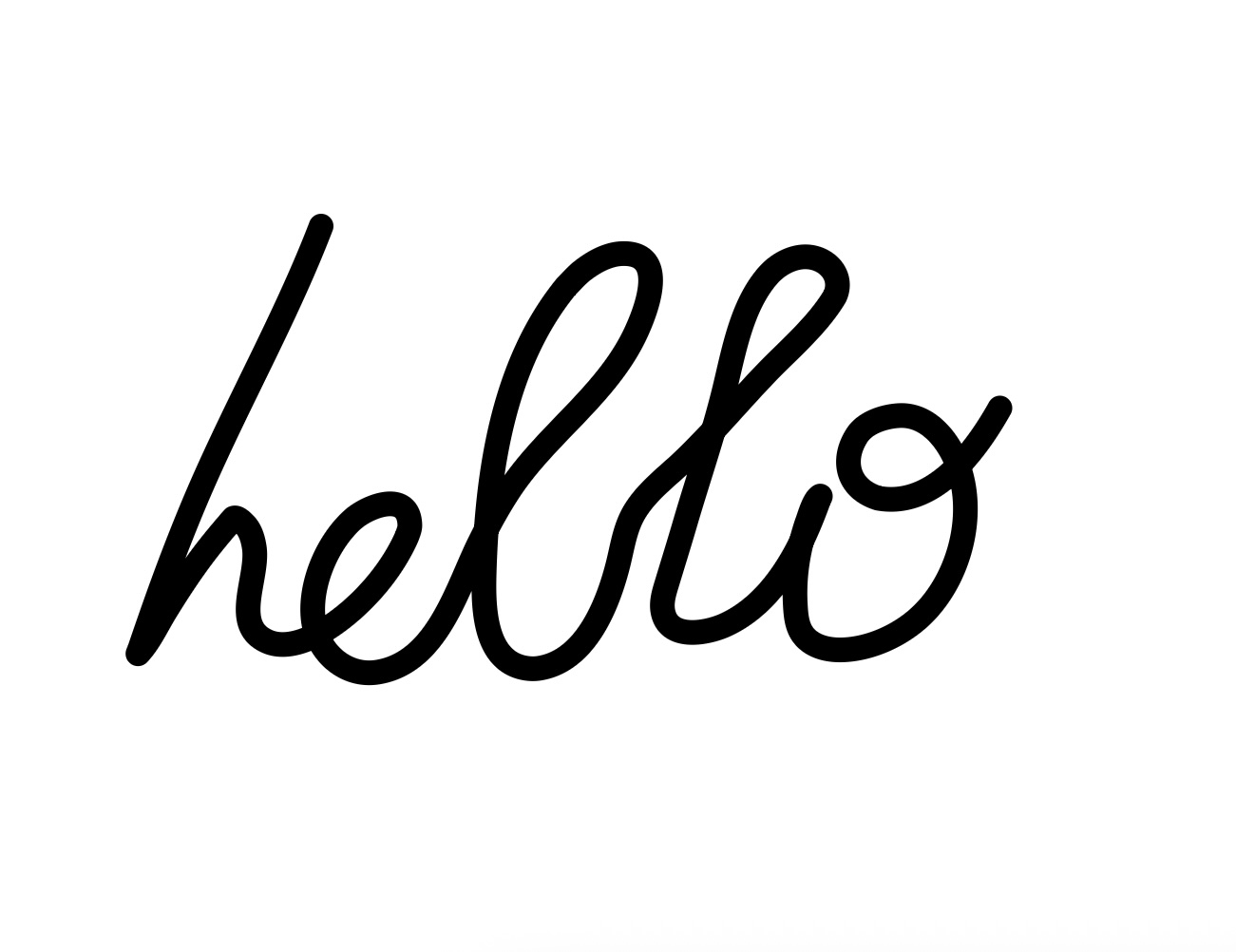
    This is a technique where the signature path appears to be drawn live, as if by an invisible pen, starting at the beginning of the path and ending at the end.

    It is a classic SVG signature animation technique.


    What the CSS Is Doing (Step-by-Step)

    1. stroke-dasharray: 2250.388671875;

    This sets the dash pattern to one very long dash the same length as the path.

    That means:

    • The entire path stroke becomes one single dash
    • If stroke-dashoffset shifts this dash out of view, the stroke becomes invisible
    • This value is normally equal to the path’s total length (often measured with JavaScript or design software)

    So this is the first step in making the path hideable and animatable.


    2. stroke-dashoffset: 2250.388671875;

    This shifts the dash all the way off the path.

    Result:
     The signature starts completely invisible.

    This sets the stage for the “writing” animation.


    3. The animation

    animation: sign 8s ease;
    animation-fill-mode: forwards;

    This tells CSS:

    • Run the sign animation
    • For 8 seconds
    • Using an ease timing curve
    • And keep the final state visible when the animation ends

    4. The @keyframes

    @keyframes sign {
      to {
        stroke-dashoffset: 0;
      }
    }

    During the animation:

    • stroke-dashoffset goes from 2250.38867 → 0

    This slowly pulls the long dash back into place, revealing the stroke from start to finish.


    HTML Code

    <body>  
    <svg version="1.1" xmlns="http://www.w3.org/2000/svg" xmlns:xlink="http://www.w3.org/1999/xlink" width="700" height="700" viewBox="385,110,700,700"><g id="document" fill="#ffffff" fill-rule="nonzero" stroke="#000000" stroke-width="0" stroke-linecap="butt" stroke-linejoin="miter" stroke-miterlimit="10" stroke-dasharray="" stroke-dashoffset="0" font-family="none" font-weight="none" font-size="none" text-anchor="none" style="mix-blend-mode: normal"><rect x="385" y="78.57143" transform="scale(1,1.4)" width="700" height="500" id="Shape 1 1" vector-effect="non-scaling-stroke"/></g><g fill-opacity="0" fill="#000000" fill-rule="nonzero" stroke="#000000" stroke-width="13" stroke-linecap="round" stroke-linejoin="round" stroke-miterlimit="10" stroke-dasharray="" stroke-dashoffset="0" font-family="none" font-weight="none" font-size="none" text-anchor="none" style="mix-blend-mode: normal"><g id="stage"><g id="layer1 1"><path id="signature" d="M553,231c-19.42774,50.61151 -46.70689,97.61646 -67.54055,147.61333c-6.65112,15.96144 -12.83864,32.09527 -18.65419,48.37906c-2.48147,6.94822 -4.90398,13.91842 -7.3018,20.89594c-0.61189,1.78057 -1.40297,4.10369 -2.04248,5.98494c-0.23785,0.69968 -1.22072,2.63618 -0.71295,2.09925c5.8255,-6.1601 9.92629,-15.15634 14.34182,-22.34278c7.02936,-11.44057 14.35768,-22.61101 22.65058,-33.18348c3.34496,-4.26444 6.82532,-8.42147 10.35064,-12.53724c0.03838,-0.04481 2.7386,-3.18187 2.77977,-3.19896c2.11725,-0.87884 4.89985,2.29641 5.70658,3.06877c3.23652,3.09862 4.57087,7.95882 5.23165,12.23423c2.47631,16.02231 -12.60572,41.15643 7.03411,49.62108c9.36851,4.03777 21.04136,-0.58962 29.12563,-5.47134c18.45495,-11.1441 35.40939,-29.98129 44.13485,-49.73849c0.67908,-1.86732 1.65539,-4.11265 1.59226,-6.14702c-0.56702,-18.27235 -21.91509,-10.12929 -29.95607,-2.9546c-13.64765,12.17732 -23.27029,34.92788 -20.77566,53.36955c2.21584,16.38075 16.70135,29.77529 33.78061,27.01728c31.31316,-5.05653 41.68698,-43.7701 53.56541,-67.83773c4.61879,-9.35842 9.6068,-18.48862 15.29655,-27.24645c19.41958,-29.89118 51.29056,-50.3092 66.70638,-82.7971c5.8444,-12.31672 17.6432,-42.74432 -6.38471,-42.3687c-1.91573,0.02995 -3.84236,0.28113 -5.69734,0.76067c-4.75179,1.2284 -8.77433,3.35601 -12.80453,6.11969c-5.29908,3.6338 -6.94167,5.84915 -11.56066,10.60226c-33.74119,41.37879 -41.61102,99.19958 -43.07636,151.08505c-0.48447,17.1542 -0.15274,46.48404 22.41192,49.66641c3.22815,0.45528 5.74002,0.2624 8.99113,-0.49295c22.78967,-5.29488 33.84958,-33.59502 39.00765,-53.90823c2.4717,-9.73389 3.65176,-19.60652 9.03526,-28.35785c6.78467,-11.02906 17.87881,-18.92601 27.02569,-27.83764c14.51832,-14.14492 27.5432,-29.73911 41.561,-44.3693c12.32806,-12.86664 27.39089,-25.38875 36.60873,-40.86605c4.53495,-10.23016 -3.3326,-19.52181 -13.59598,-20.60436c-8.04767,-0.84884 -16.38427,3.69541 -21.57961,9.62344c-14.29023,16.30555 -18.21868,41.03625 -23.24309,61.27081c-5.79888,23.35358 -13.69054,46.06739 -20.4375,69.1484c-3.02392,10.34468 -6.22634,20.6254 -9.35288,30.93837c-1.81431,5.98454 -3.88555,11.92853 -1.66466,18.07784c4.51069,12.48943 23.17453,8.66248 32.04929,4.63238c17.71836,-8.04605 30.05645,-24.22572 38.7484,-41.11918c2.82936,-5.49908 5.29389,-11.18723 7.56812,-16.93581c0.59784,-1.51117 1.52015,-3.94269 2.13838,-5.62146c0.25306,-0.68719 0.50258,-1.37568 0.75038,-2.06478c0.24906,-0.69259 1.36002,-2.47712 0.74018,-2.08026c-3.35314,2.1469 -5.48951,10.64409 -6.87829,14.1384c-4.60849,13.73086 -6.89365,27.81329 -6.1434,42.30254c0.27229,5.25868 0.62131,11.27069 3.63501,15.78781c4.53245,6.79352 13.13845,8.83705 20.83458,8.65453c15.54094,-0.36857 32.1971,-8.24282 43.08554,-19.22442c18.84998,-19.01127 27.29591,-51.13588 18.49759,-76.67944c-4.54783,-13.2034 -15.49649,-28.15076 -31.23902,-27.405c-7.57101,0.35866 -17.69994,3.4152 -22.17257,10.19648c-8.85998,13.43325 -4.89558,28.36213 10.99107,33.26687c29.34709,5.38092 51.51709,-25.06559 64.08469,-47.43261" id="Path 1"/></g></g></g></svg>
    </body>

    CSS Code

    #signature{
      stroke-dasharray: 2250.388671875;
      stroke-dashoffset: 2250.388671875;
      animation: sign 8s ease;
      animation-fill-mode: forwards;
    }
    
    @keyframes sign {
      to {
        stroke-dashoffset: 0;
      }
    }

  • To Do List

    To Do List

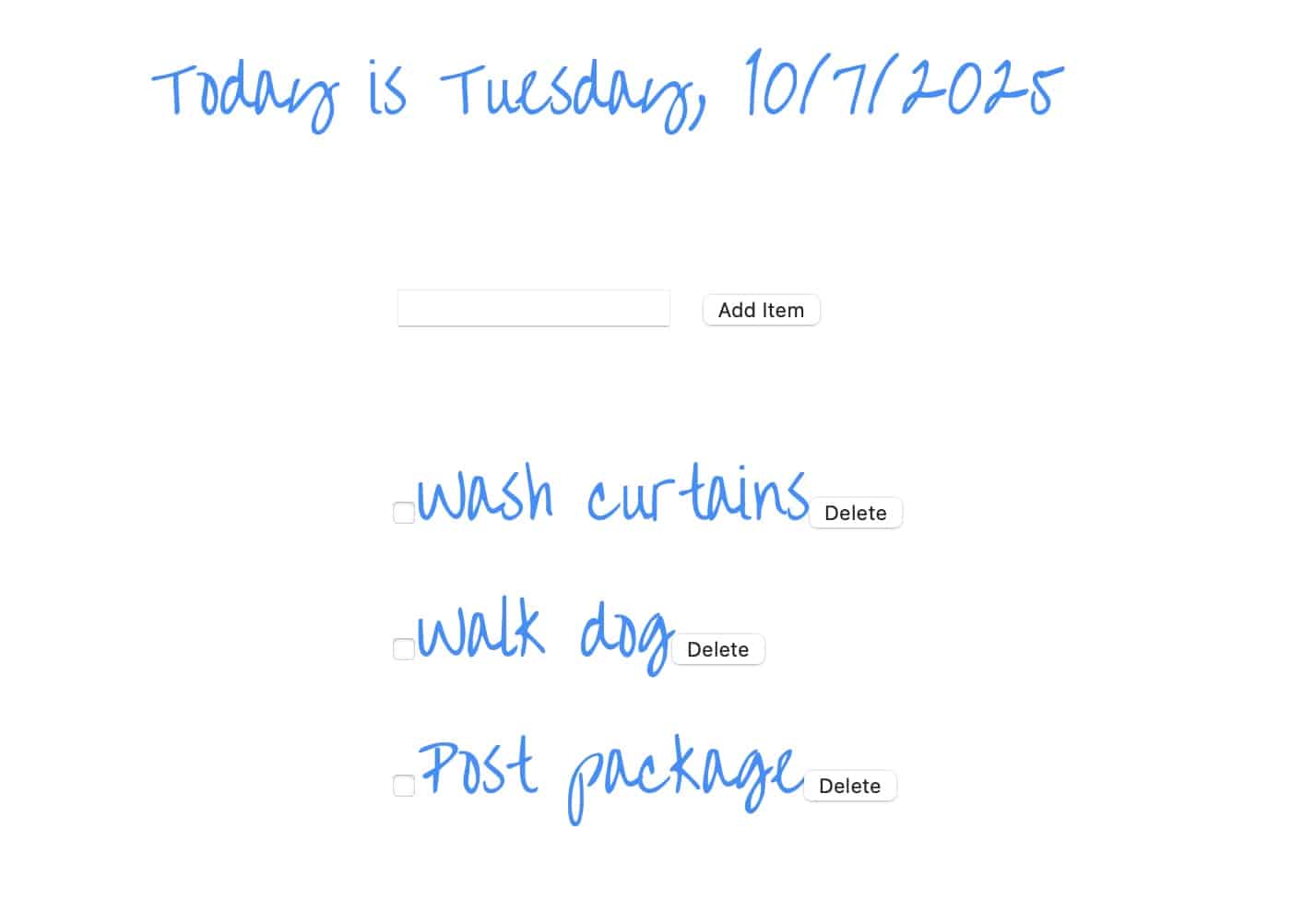
    This is a common starter project to show how HTML, CSS and Javascript work together.

    Data is stored in Local Storage.

    Javacript Code:

    // Retrieve the NodeList from local storage
    const storedList = getNodeList('myList');
    
    if (storedList) {
      // Recreate the elements
      const elements = createElements(storedList);
      // Append the elements to the ul
      const container = document.getElementById('theList');
      elements.forEach(element => container.appendChild(element));
    }
    
    //Get today's date and display
    const now = new Date();
    const dayOfWeek = now.toLocaleDateString('en-US', { weekday: 'long' });
    const date = now.toLocaleDateString('en-US');
    const dateHeading = document.querySelector(".date-heading");
    dateHeading.textContent += `Today is ${dayOfWeek}, ${date}`; 
    
    
    const ulList = document.querySelector("ul");
    checkIfZeroTasks();
    
    const add_item_button = document.querySelector(".submit-button");
    
    //Add Item Button Click Logic
    add_item_button.addEventListener("click", function (e) {
    const inputValue = document.querySelector("input[type='text']");
    
     if (inputValue.value != "") {
      const li_element = document.createElement("li");
      const input = document.createElement("input"); 
      input.type = "checkbox";
      const button = document.createElement("input"); 
      const text = document.createTextNode(inputValue.value);
      button.type = "button";
      button.value = "Delete";
      li_element.appendChild(input);
      li_element.appendChild(text);
      li_element.appendChild(button);
      ulList.appendChild(li_element);
      
    storeToDos();   
    checkIfZeroTasks();
    inputValue.value = "";
    inputValue.focus();
    }
    });
    
    function checkIfZeroTasks () {
      const allLIs = document.querySelectorAll("li");
      if (allLIs.length === 0) {
        const message = document.createElement("span");
        const span_text = document.createTextNode("No to-do items");
        message.appendChild(span_text);
        message.className = "no-item-msg";
        ulList.insertAdjacentElement("beforebegin", message);
      }
      else {
        const message = document.querySelector(".no-item-msg");
        if (message != null) {
        message.remove();
        }
      }
    }
    
    //Event Listener to Remove the to-do item
    //Put on document level so that it delegates
    	document.onclick = function(e)
    	{
      //Click was on Delete Button
    	  if (e.target.tagName === 'INPUT' &&
          e.target.value === "Delete") {
           const parentElement = e.target.parentNode;
    	     parentElement.remove();
           storeToDos(); 
           checkIfZeroTasks ()
    	   }
     //Click was on Checkbox
    	  if (e.target.tagName === 'INPUT' &&
          e.target.type === "checkbox") {
          //Get parent element and toggle the class on it 
          const parent = e.target.parentElement;
          parent.classList.toggle("to-do-done");
          //Store to dos in case check box checked staus has changed!
          storeToDos(); 
        }
    	}
    
    //Utility functions to store to-do list in Local Storage
    //Convert the NodeList to an array of HTML strings:
    function nodeListToArray(nodeList) {
       return Array.from(nodeList).map(element => element.outerHTML);
        }
    //Store the Array in Local Storage
    function storeNodeList(key, nodeList) {
       const htmlArray = nodeListToArray(nodeList);
       localStorage.setItem(key, JSON.stringify(htmlArray));
        }
    //Retrieve the array from local storage.
    function getNodeList(key) {
       const storedArray = localStorage.getItem(key);
       return storedArray ? JSON.parse(storedArray) : null;
        }
    //Recreate the elements from HTML strings.
    function createElements(htmlArray) {
      console.log(htmlArray);
       return htmlArray.map(htmlString => {
           const tempDiv = document.createElement('div');
           tempDiv.innerHTML = htmlString;
           return tempDiv.firstChild;
          });
        }
    function storeToDos() {
      const listItems = document.querySelectorAll('li');
      storeNodeList('myList', listItems);
    }
    

    CSS code:

    /* Over the rainbow font */
    @import url(https://fonts.googleapis.com/css?family=Over+the+Rainbow);
    
    :root {
      --paleBlue: #1e90ff;
      --font: 'Over the Rainbow';
    }


    html {
       font-family: sans-serif; /* Fallback font for old browsers */
       font-family: var(--font);
       font-size: 36px;
       color: var(--paleBlue);
    }
    
    .container {
      display: flex;
       flex-direction: column;
      align-items: center;
    }
    ul{
      list-style-type: none
    }
    .to-do-done{
      color: blue;
      text-decoration: line-through;
    }
    

    HTML:

    <div class="container">
    <p class="date-heading"></p>
    <form>
      <input class="input-task" type="text" autofocus></input>
    <input class="submit-button" type="button" value="Add Item"></input>
    </form>
    <ul id="theList">
    </ul>
    </div>
  • Alphabet

    Alphabet

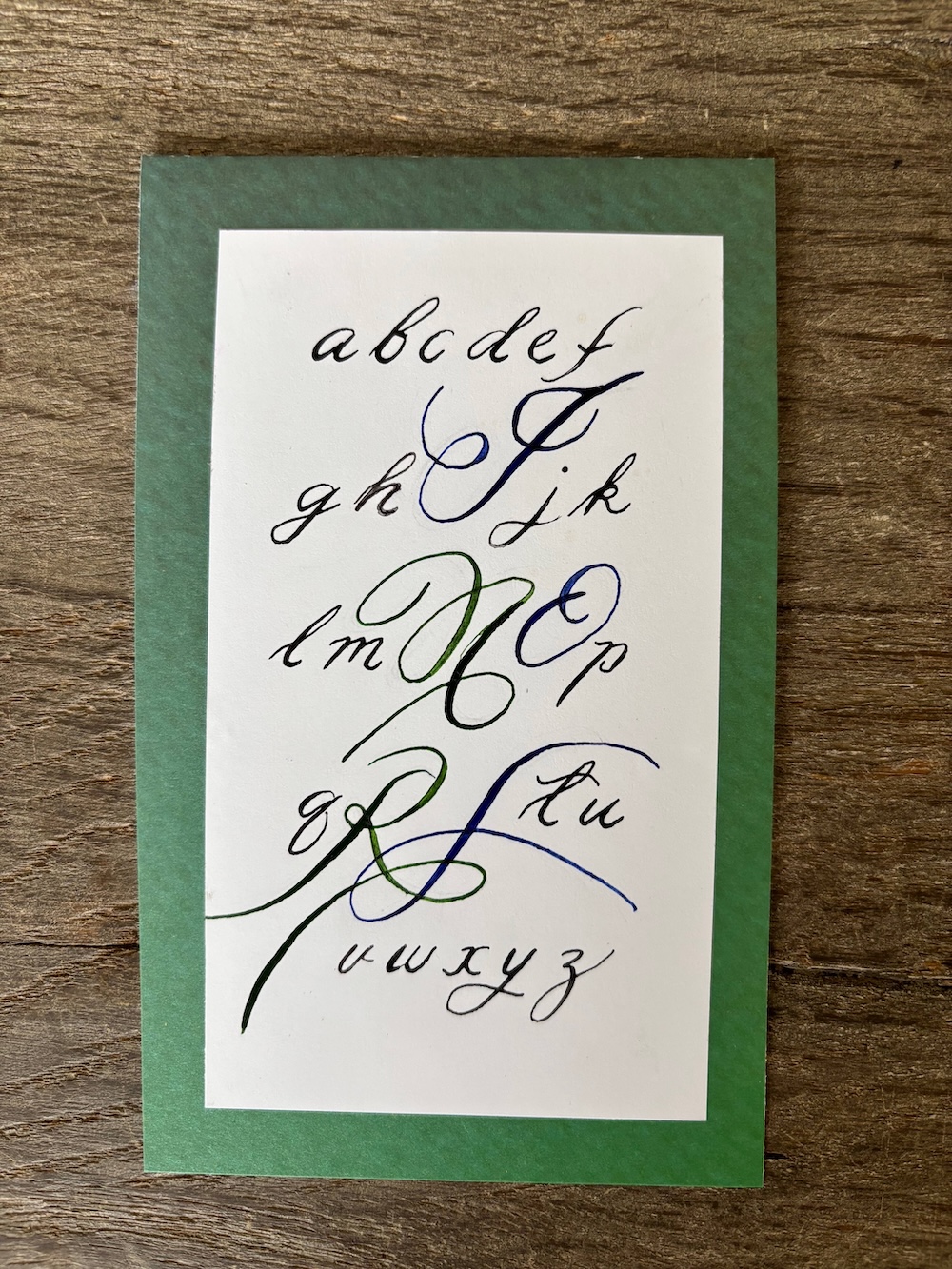
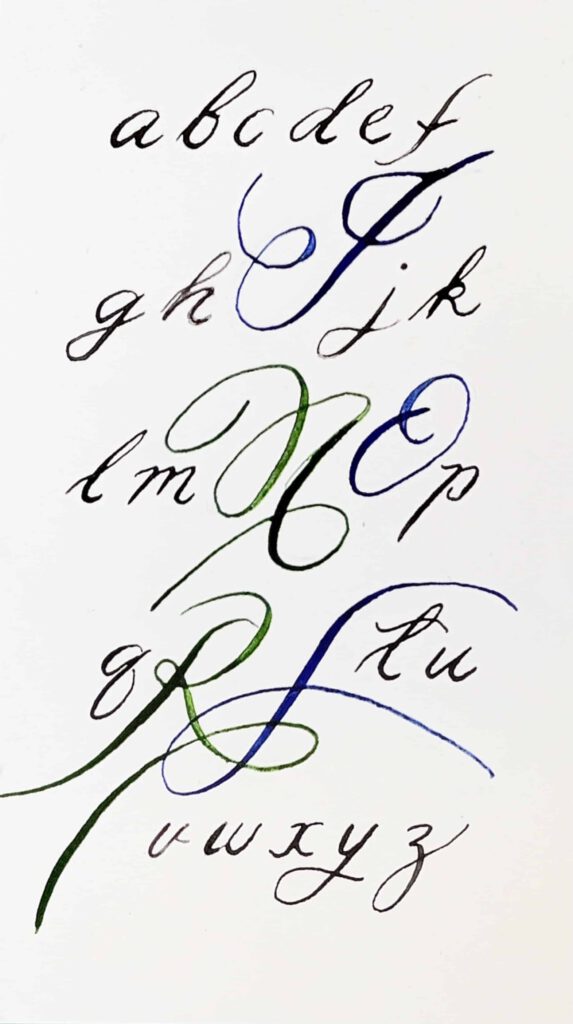
    I picked out the letters of my sister’s name to stand out on this card. I would like to have the letters look more elegant. I think this will come with practice.

  • Birthday Card

    Birthday Card

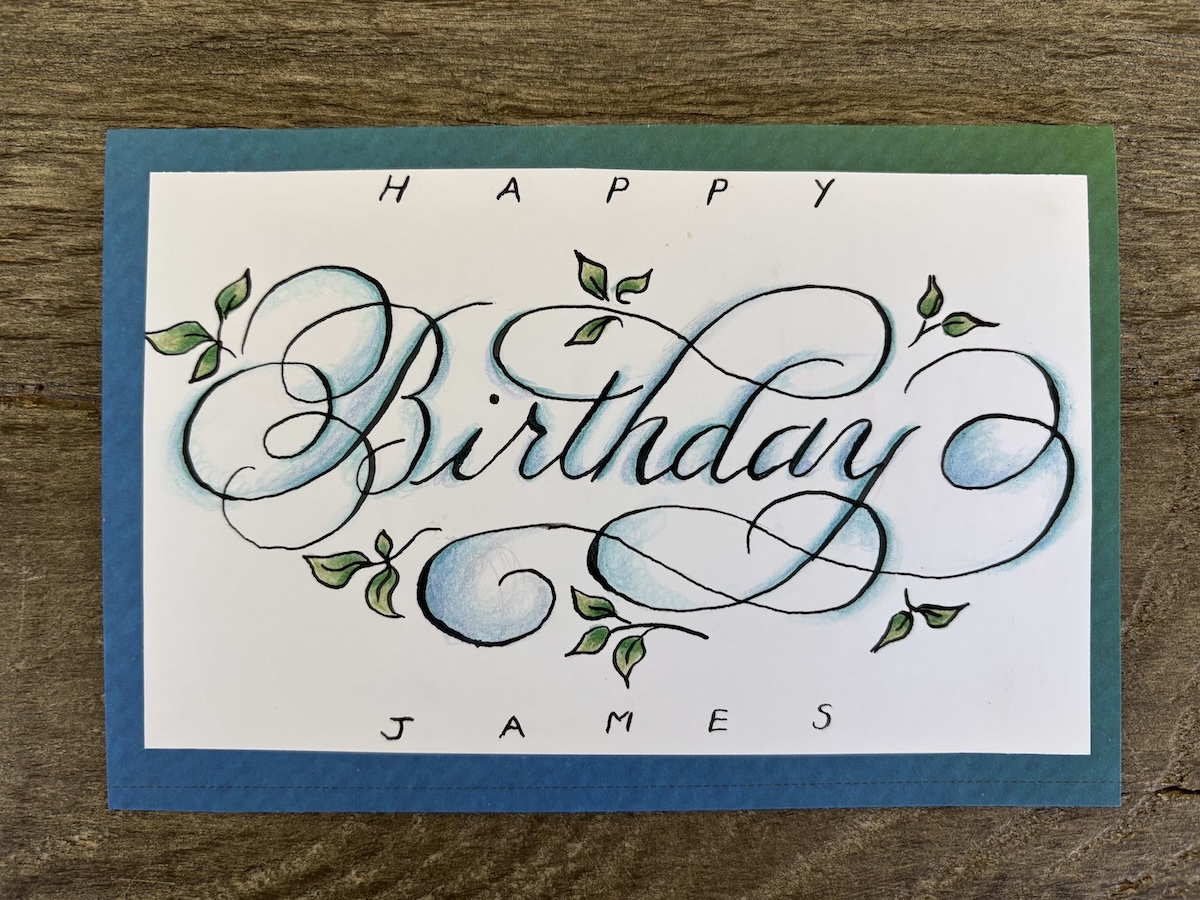
    Again – same problem with uneven lines. I think I may have to go slower. I enjoyed trying out colored pencil in this one.

  • Spiral Calligraphy

    Spiral Calligraphy

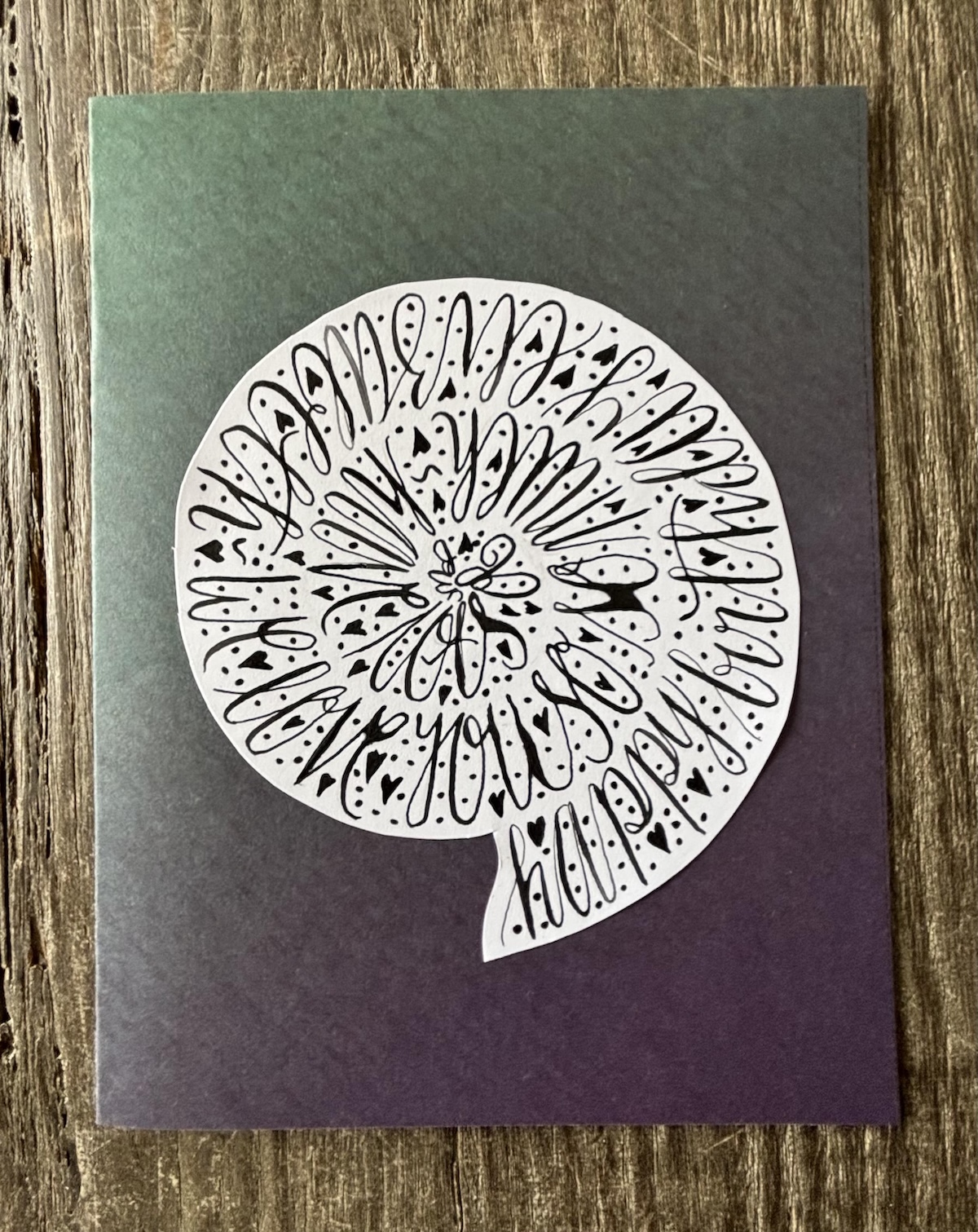
    This was fun to do (even though it’s very hard to read the text!) Again the ink pooled quite a bit. I wonder am I rinsing the nib enough.

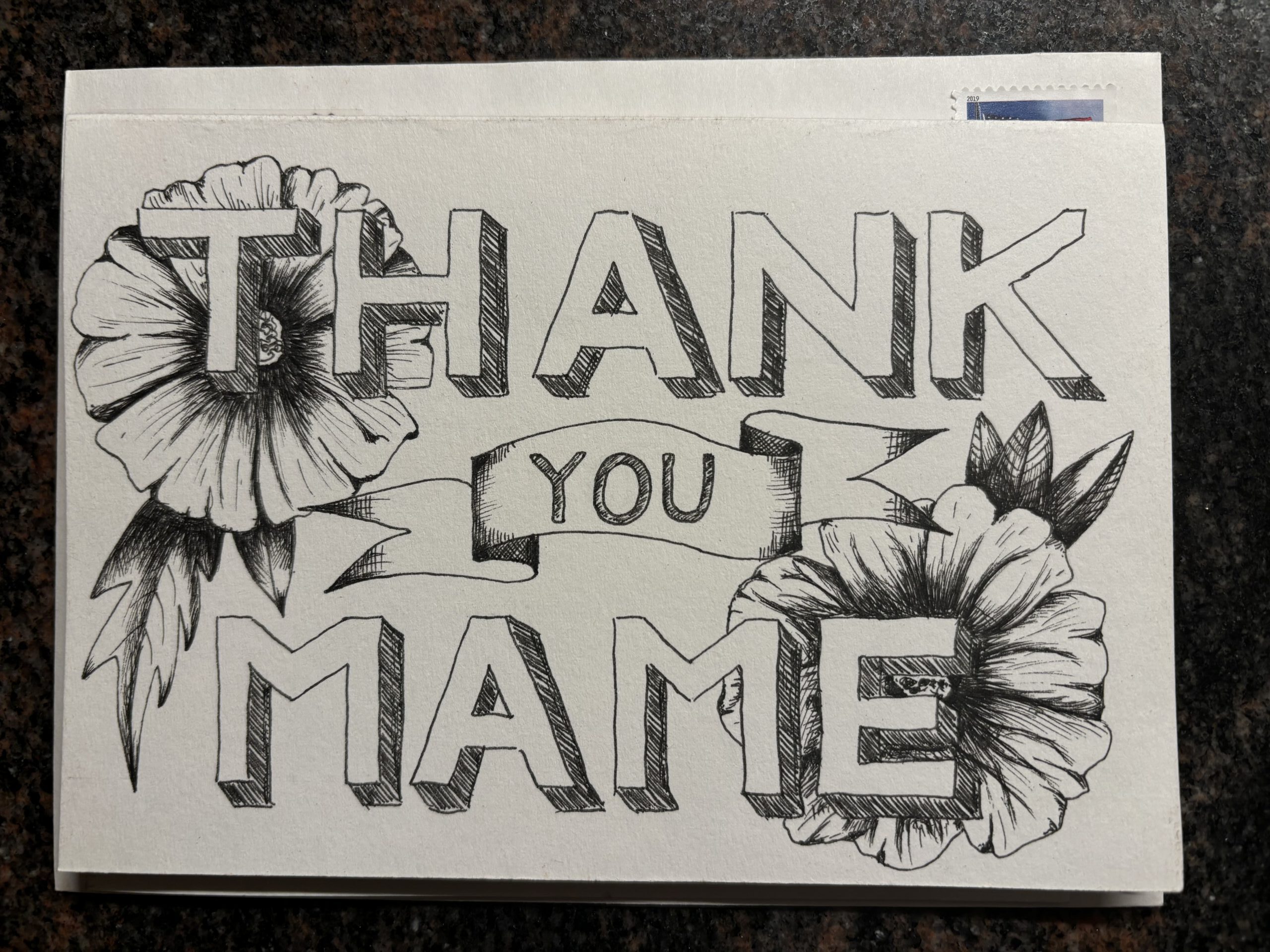
  • Thank you Card

    Thank you Card

    This was just drawn using a regular pen. I wish I’d placed the flowers in a different position and somehow everything looks a bit “boxy”.

  • With Sympathy

    With Sympathy

    Date created:

    May, 2023

    Where created:

    Center for the Book, San Francisco

    Printing technique:

    Polymer Print

    Type of paper:

    Crane's Letter 100% Cotton Scored / Folded Card 300gsm/110llb A7
  • So Sorry

    So Sorry

    Date created:

    May, 2023

    Where created:

    Center for the Book, San Francisco

    Printing technique:

    Polymer Print

    Type of paper:

    Crane's Letter 100% Cotton Scored / Folded Card 300gsm/110llb A7