
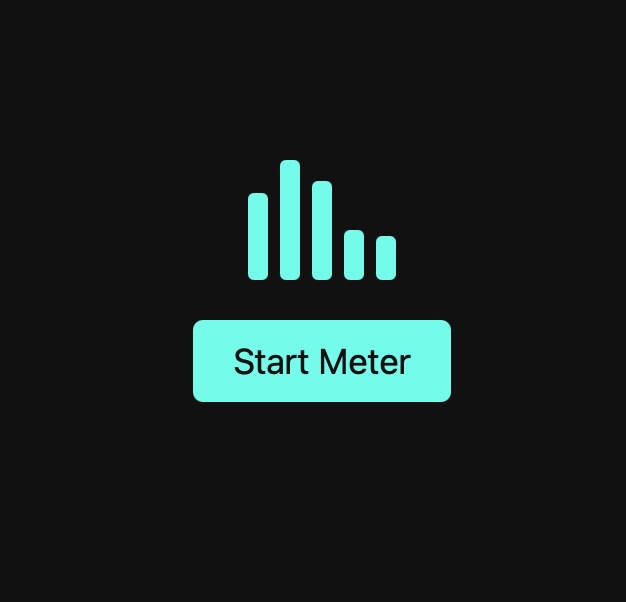
Click on the blue button above to see the animation!
How does this work?
The .meter CSS class :
- puts the bars next to each other
- spaces them out
- gives a little room above the button
Each bar has the .bar class which :
- starts small (20px tall)
- has a cyan colour
- has a soft rounded edge
- has an animation named pulse
BUT — the animation is paused until JavaScript starts it. The CSS stagers the animation so each bar start slightly later than the one before. They ripple instead of all moving together.
The animation CSS says :
- Start short → grow taller → shrink again.
- Repeat forever.
- This is why the bars look like a moving sound meter.
HTML
<div class="meter">
  <div class="bar"></div>
  <div class="bar"></div>
  <div class="bar"></div>
  <div class="bar"></div>
  <div class="bar"></div>
</div>

<button id="toggle">Start Meter</button>
CSS
body {
  display: flex;
  flex-direction: column;
  justify-content: center;
  align-items: center;
  color: white;
  font-family: sans-serif;
}

.meter {
  display: flex;
  gap: 6px;
  margin-bottom: 20px;
  height: 60px;
  align-items: flex-end;
}

.bar {
  width: 10px;
  height: 20px;
  background: #00ffea;
  border-radius: 3px;
  animation: pulse 0.5s ease-in-out infinite;
  animation-play-state: paused; /* JS will toggle this */
}

.bar:nth-child(1) { animation-delay: 0s; }
.bar:nth-child(2) { animation-delay: 0.1s; }
.bar:nth-child(3) { animation-delay: 0.2s; }
.bar:nth-child(4) { animation-delay: 0.3s; }
.bar:nth-child(5) { animation-delay: 0.4s; }

@keyframes pulse {
  0%   { height: 20px; }
  50%  { height: 60px; }
  100% { height: 20px; }
}

button {
  padding: 10px 20px;
  font-size: 1.1rem;
  border: none;
  background: #00ffea;
  color: #111;
  border-radius: 5px;
  cursor: pointer;
}
Javascript
const bars = document.querySelectorAll('.bar');
const button = document.getElementById('toggle');

let running = false;

button.addEventListener('click', () => {
  running = !running;

  bars.forEach(bar => {
    bar.style.animationPlayState = running ? 'running' : 'paused';
  });

  button.textContent = running ? 'Stop Meter' : 'Start Meter';
});
Leave a Reply